
February 9, 2011
under: code

Some useful posts on the Cinder forums

The Cinder forums are a great place to learn. Following are some of the posts I find myself going back to for technical reference.

June 23, 2010
under: code, process

Written Images Cinder Template

written detritus

Written Images is an excellent project in generative bookmaking initiated by Martin Fuchs. He has an open call-for-entries to collect image-making applications. The site copy explains the project’s ambition:

Written Images; a project in contemporary generative print design and art. Its final products will be a book that presents programmed images by various artists. Each print in process will be calculated individually – which makes every single book unique.

I’m making my submissions using Cinder so I can get more comfortable with c++ and the XCode environment. To make my life easier, I added a WrittenImages project template to the excellent TinderBox tool that comes with Cinder. Get the template by either downloading my version of TinderBox (which contains the template), or checking it out on github. You can also look at an example of code generated by the template.

The template sets up your application to receive command-line arguments and handle batch-rendering of files to the provided paths. To use it, open up TinderBox and create a new project. Your settings should be: Target: Basic App, Template: WrittenImages. I think the code inside is pretty self-explanatory for use. To pass arguments to your application in the command-line (Assuming you named your project Sample, which you probably didn’t), do the following:

$ Sample.app/Contents/MacOS/Sample ./more.png ./like.png ./this.png

The reason for the longish path to your application is that the binary is actually in an application bundle. The Sample.app/ is just a directory, and to pass arguments to the application we need to call the executable part directly.

The written images deadline was just extended to July 15, so you still have a chance to make a submission.

Download TinderBox with the WrittenImages template.
April 4, 2010
under: code, other  |  3 Comments

Find in maps

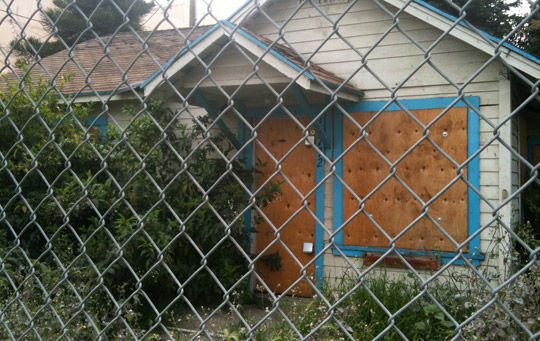
abandoned house

I’m starting to look for my next apartment, and I’m sick of doing the copy+paste dance to find out where craigslist postings are actually located. I wanted to be able to highlight an address on the page, hit a shortcut, and be taken to a map of that location.

After a quick google search, I couldn’t find any bookmarklets with the behavior I wanted. As a result, I took a few minute to write my own. The following is a simple bookmarklet that queries for the selected text using google maps. If nothing is highlighted, you will be prompted to enter an address.

Drag the following to your bookmarks bar: Find in maps

You can take a look at the source code for the bookmarklet on github.

August 8, 2009
under: code

git the konami code

git on a 3d cube background.

I’ve been using git for a few months now, and have found it faster and more enjoyable to deal with than svn. Sure, there’s the headache with remembering git revert is not like svn revert (use reset to go back to a point in time, revert to undo a commit—more like English, actually).

In addition to git, there’s github, a good place to host your public code repositories. I’m keeping an AS3 Konami Code project and my AS3 code library on github. You can clone them to your machine or fork them to create your own project on github.

Keep reading »
June 29, 2009
under: code

Failed to Connect: Some notes on WebSharing

The Problem

This weekend, I discovered my localhost wasn’t working when I wanted to do a bit of local website development. I got a pretty unfriendly ‘Failed to Connect’ message when trying to hit http://localhost/, http://127.0.0.1/ or the IP my mac was telling me my Sites/ were at in System Preferences. Bummer. I tried pinging my server from Terminal, which gave false-positives that the server was running (I should have used $ ping localhost:80, which properly showed the host was down). $ apachectl configtest returned that my syntax was OK. sudo apachectl start told me the server was already running. Everything looked right, it just wasn’t showing up in the browser.

Searching around the internet, I found that lots of other people had different problems with WebSharing (trying to use .htaccess files, permissions errors preventing pages from showing, and enabling php), but no one was experiencing quite the same thing as me.

The Solution

This ended up being really easy. Chandler McWilliams, via email, suggested I check my apache error logs. They should live in /var/logs/apache2/error_log. My machine lacked even an apache2/ directory. So I made one: $ sudo mkdir apache2, and all of a sudden, it was populated with a new error_log (among other things), and my localhost was working again.

Solutions to other problems:

If you want to enable .htaccess files on your Mac Apache setup: in /private/etc/apache2/httpd.conf: AllowOverride All in /private/etc/apache2/users/yourname.conf: AllowOverride AuthConfig For extended instructions, check out this blogpost on enabling .htaccess files.

To enable php5 on your Mac, you’ll need to load the module in /private/etc/apache2/httpd.conf: Uncomment LoadModule php5_module libexec/apache2/libphp5.so Tyler also made a note of this.

If you get a 500 error on stuff on your Mac server, try changing the permissions from the command line. chmod -R 744 problemdirectory/ should do it.

EDIT: I changed the paths to the locations where you need to get things set up. They seem to be in a different location under 10.5.